
Endorse skills that help on LinkedIn, using one prompt
Last updated 2026-10-16 · Tested on a real LinkedIn account
Short answer
Endorse the skills that actually help someone, and get noticed for it. You ask in plain English. Your AI assistant runs the LinkedIn CLI for you, so you never type a command yourself.
What do I actually type?
This one sentence. That is the whole thing.
“Read forty of my first-degree connections and find anyone who started a new role or was promoted in the last fourteen days. For each, tell me the person, the event, the new title, and which of the skills already listed on their profile is the closest match to the new role. Put them in `endorse-this-week.md` and don't do anything else.”
How does it work, step by step?
Paste these one at a time. Each one is written in normal English — no command names, no flags.
We gave these exact prompts to a real AI assistant and wrote down every command it ran. It chose 2 commands: get-connections, fetch-profile. Nobody told it which ones to use.
“Read forty of my first-degree connections and find anyone who started a new role or was promoted in the last fourteen days. For each, tell me the person, the event, the new title, and which of the skills already listed on their profile is the closest match to the new role. Put them in `endorse-this-week.md` and don't do anything else.”
Four or five names come back on the nights something happens, and nothing on the many that do not. You read the file in about a minute, decide which one or two you can genuinely vouch for on the skill the sweep suggested, and give the endorsement from the person's profile in twenty seconds.
your assistant picks thisWhat it printed when we ran it
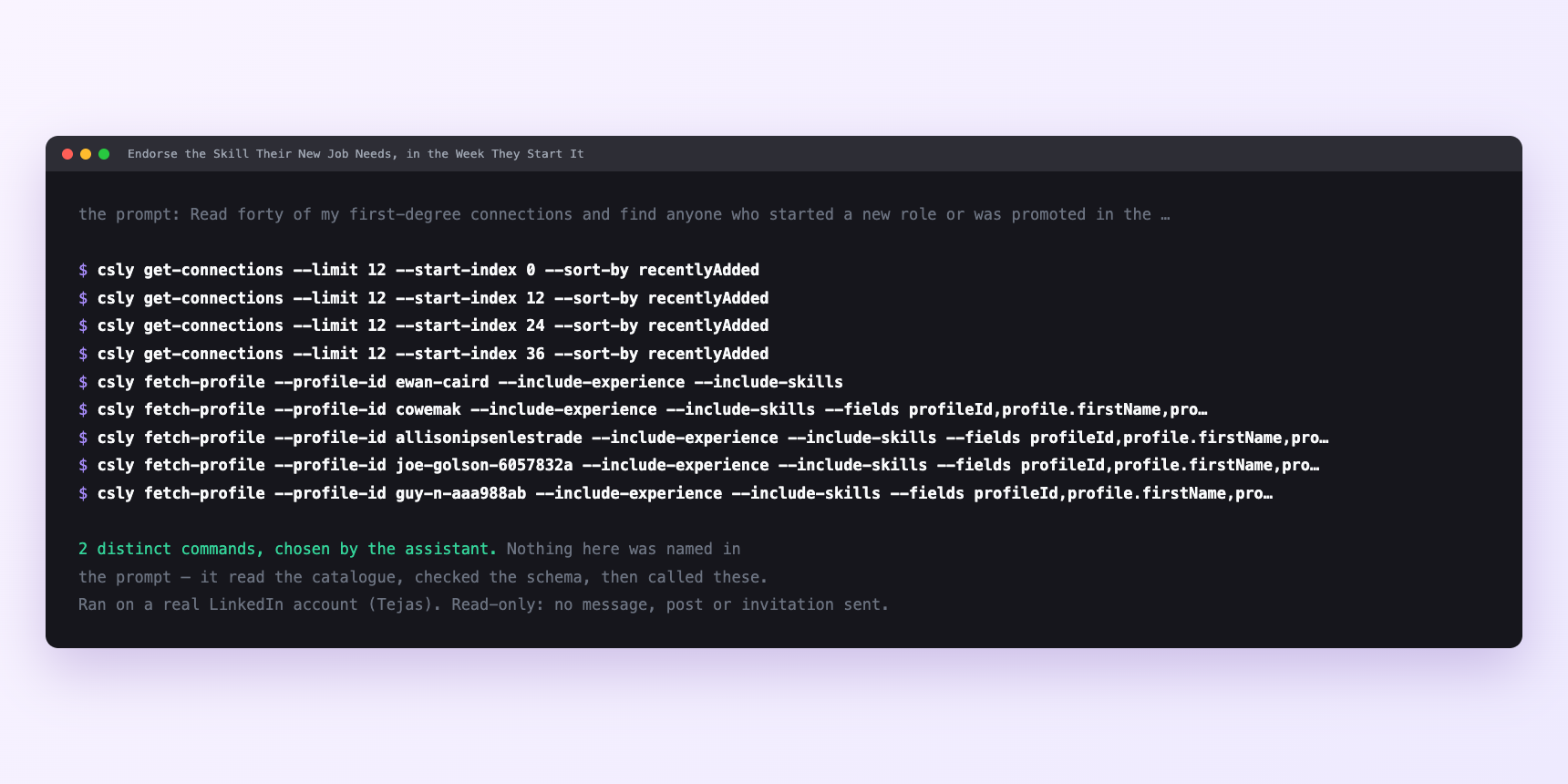
Not a mock-up. This is the actual run: the assistant was given the prompts above and nothing else, and these are the 2 distinct commands it chose from the catalogue. It ran read-only on a real LinkedIn account — nothing was sent, posted or invited.
Can I make it run on its own?
Yes. Add one more sentence and it keeps happening without you. This is the part a chat window cannot do — a saved job runs on the days you are busy.
“Do this every night at 22:00 and leave the shortlist in `endorse-this-week.md` for me.”
How many LinkedIn actions does this use?
LinkedIn limits how much any account can do in a day. These are the real numbers, and your assistant checks what is left before it starts.
- Recent-activity data covers fifteen days, not thirty. This is why the window in the prompt is fourteen days rather than a fortnight rounded up. Anything reported outside that window is inference, not observation, and it is not what you want to endorse against. A confident answer covering the last month is an invented one.
- Profile views: 120 a day, reset at midnight UTC. Every full profile read spends one. Sweeping five hundred first-degree connections for role events is not one prompt — it is a slice at a time, about a third of the daily budget per run, so forty a night. Five hundred becomes roughly thirteen nights, and the sweep never asks for more.
- Endorsements are writes and low-friction, but they share a velocity class. All writes cap at fifteen a minute. Ten endorsements landing inside one minute is inside every daily total and still visibly a bulk operation to anyone watching. The drip here is one or two a tick, more restrictive than the cap, because the point is not pacing — fifteen endorsements from one person in one sitting is the opposite of what you meant.
Watch it instead
4 minutes
Common questions
- What if the list comes back empty for a week?
- That is the correct answer for most networks most weeks. Do not lower the specificity of the skill match to force names onto the list.
- What if the skill you would endorse is not on their profile?
- You cannot endorse a skill that is not listed. A short recommendation is the right instrument instead. twenty minutes, and worth roughly a hundred endorsements.
- What if everything is failing at once?
- Ask it to check the account status before assuming the tool broke. A LinkedIn session that needs reconnecting fails quietly mid-run rather than announcing itself.
- What if the endorsement did not appear?
- Check that the recipient is a first-degree connection. Endorsement requires the connection to already exist; a pending invitation is not enough.
- How many LinkedIn actions does endorse skills that help use up?
- Recent-activity data covers fifteen days, not thirty. This is why the window in the prompt is fourteen days rather than a fortnight rounded up. Anything reported outside that window is inference, not observation, and it is not what you want to endorse against. A confident answer covering the last month is an invented one.
How do I set this up?
Once, and it takes about four minutes. After this you only write sentences.
$ npm install -g @connectsafely/cli$ export CONNECTSAFELY_API_KEY=...$ csly list-linkedin-accounts$ export CONNECTSAFELY_ACCOUNT_ID=...$ csly skill installThe package is @connectsafely/cli on npm. You need Node 20 or newer.
Then start your chat with this line, so your assistant uses the CLI instead of trying to open LinkedIn itself and hitting a login page:
“Use the ConnectSafely CLI (csly) for anything that touches LinkedIn. Run csly commands to see what exists, and csly schema before calling one. Don't guess a command name.”
Other things you can do
Try this on your own LinkedIn account
From $10 a month, on the LinkedIn account you already use, with zero ban risk.
What the CLI actually is— 86 commands, same plan, no extra cost.