
Run several accounts on LinkedIn, using one prompt
Last updated 2026-10-16 · Tested on a real LinkedIn account
Short answer
Run several LinkedIn accounts without doing nine times the work. You ask in plain English. Your AI assistant runs the LinkedIn CLI for you, so you never type a command yourself.
What do I actually type?
This one sentence. That is the whole thing.
“List every LinkedIn account connected to the workspace. For each, tell me the connection status, the profile-view quota remaining today, the connection-request budget remaining this week, and any warnings.”
How does it work, step by step?
Paste these one at a time. Each one is written in normal English — no command names, no flags.
We gave these exact prompts to a real AI assistant and wrote down every command it ran. It chose 3 commands: list-linkedin-accounts, get-account-quota, get-account-status. Nobody told it which ones to use.
“List every LinkedIn account connected to the workspace. For each, tell me the connection status, the profile-view quota remaining today, the connection-request budget remaining this week, and any warnings.”
That replaces logging into twelve dashboards. Underneath the assistant calls list-linkedin-accounts and get-account-status-by-id plus get-account-quota for each. Twelve one-line rows come back rather than twelve session pages.
your assistant picks this“For client Monzo, given the quota remaining and the queue in `data/per-account/client-monzo/queue.txt`, write the plan for the week. Do not run anything yet.”
The plan is a file. You read it, edit two lines, and tell the assistant to go. Keeping the plan separate from the execution is the reason a plan that reads wrong never becomes a run.
your assistant picks thisWhat it printed when we ran it
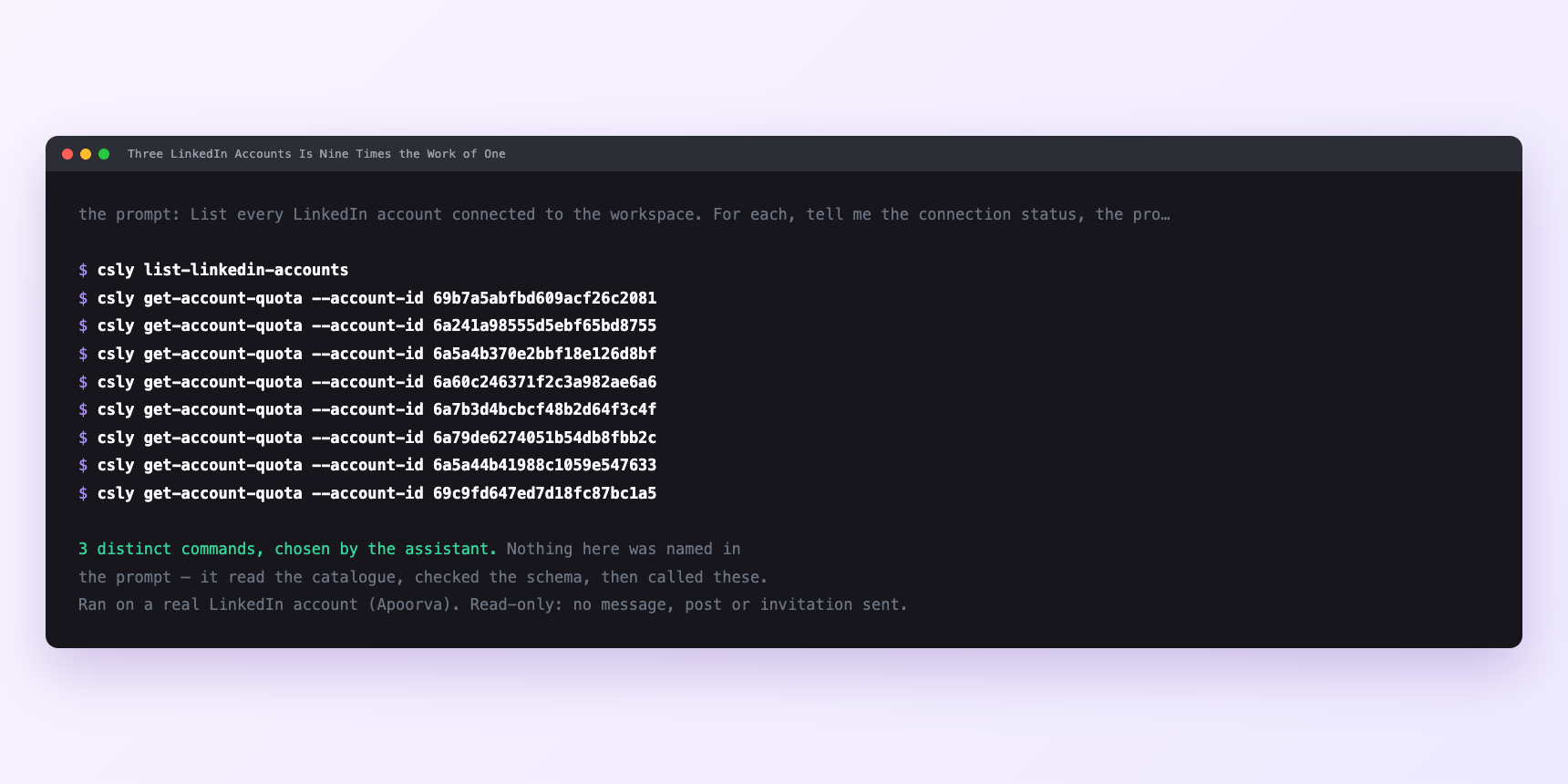
Not a mock-up. This is the actual run: the assistant was given the prompts above and nothing else, and these are the 3 distinct commands it chose from the catalogue. It ran read-only on a real LinkedIn account — nothing was sent, posted or invited.
Can I make it run on its own?
Yes. Add one more sentence and it keeps happening without you. This is the part a chat window cannot do — a saved job runs on the days you are busy.
“Take the plan for client Monzo and run it. For every prospect, first check whether any account in the workspace already has a thread with them — if so, skip and log the reason. Otherwise use client Monzo's session, draft the message, and show me before sending.”
How many LinkedIn actions does this use?
LinkedIn limits how much any account can do in a day. These are the real numbers, and your assistant checks what is left before it starts.
- The instinct at three seats is to treat the budgets as multiplied. They are, but not in the way that lets you promise a client three times the throughput.
- Every cap in the rate limits is per account. Three accounts have three weekly connection budgets of 90 each — 270 for the workspace — and three daily profile-view budgets of 120 each. But the client only ever sees their own account's budget. Client Monzo pays for a seat and gets 90 connection requests a week and 120 profile views a day, and no amount of workspace cleverness raises that.
- Working through: three accounts, treating 60 sends a week as the working target so a busy week never pushes any one into a hold, is 180 sends across the workspace. Very different from the 270 the spreadsheet suggests. Twelve accounts at the same working target is 720 — a real business, at a level of pacing that keeps every account healthy. Push any single account to 90 to get the extra 30 and you take on a 24-hour hold's worth of risk on that account. That is the trade get-account-quota is asking you to make explicit rather than by accident. Ask for it before any run larger than a handful.
Watch it instead
4 minutes
Common questions
- What if two accounts sent at the same person?
- The routing rule was skipped or the dedup step failed to find the earlier thread. Look at data/per-account/*/threads/ for both accounts; one will have the earlier send, and the fix is a rebuild of the dedup index rather than a policy about being careful.
- What if an action ran on the wrong account?
- Almost always a stale saved account id beating the one you thought was in effect. Ask the assistant which account it is using, and rehearse any send before it goes out. check-relationship-specific-account is worth naming in a prompt for this reason. it makes the account explicit, and the answer for one client is not the answer for another.
- What if one account is silently failing?
- A disconnected session fails inside a batch without announcing itself. The start-of-week status sweep catches this before a client does. Recovery is not technical. it is an email asking the client to reconnect.
- What if quota mysteriously ran out on one account?
- Something else is running on the same account: the client's own browsing, a colleague's parallel job, another automation. get-account-quota returns the true figure, and the number that surprises you is usually the honest one. the same mechanism behind most account restrictions.
- How many LinkedIn actions does run several accounts use up?
- The instinct at three seats is to treat the budgets as multiplied. They are, but not in the way that lets you promise a client three times the throughput.
How do I set this up?
Once, and it takes about four minutes. After this you only write sentences.
$ npm install -g @connectsafely/cli$ export CONNECTSAFELY_API_KEY=...$ csly list-linkedin-accounts$ export CONNECTSAFELY_ACCOUNT_ID=...$ csly skill installThe package is @connectsafely/cli on npm. You need Node 20 or newer.
Then start your chat with this line, so your assistant uses the CLI instead of trying to open LinkedIn itself and hitting a login page:
“Use the ConnectSafely CLI (csly) for anything that touches LinkedIn. Run csly commands to see what exists, and csly schema before calling one. Don't guess a command name.”
Other things you can do
Try this on your own LinkedIn account
From $10 a month, on the LinkedIn account you already use, with zero ban risk.
What the CLI actually is— 86 commands, same plan, no extra cost.